Three months of experience with an ergonomic vertical mouse

Already have Rappler+?
to listen to groundbreaking journalism.
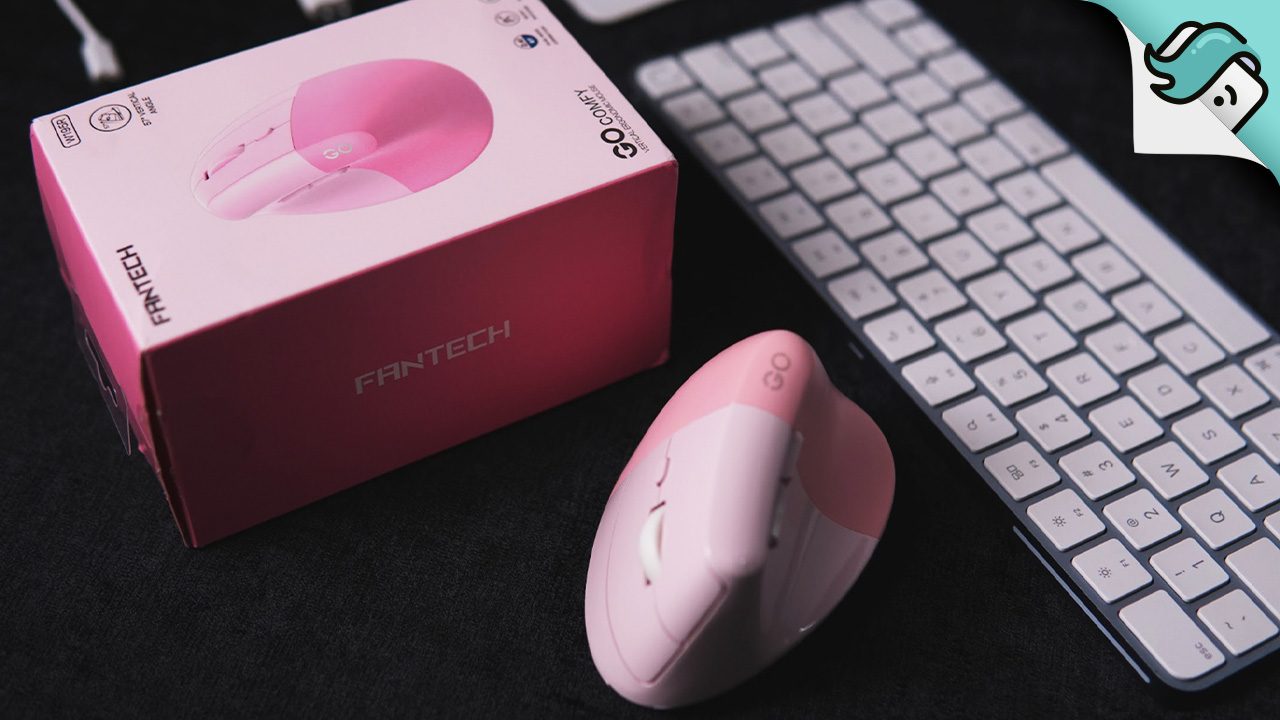
If you get wrist strains, this could be up your alley
AT A GLANCE
- The author transitioned from cheap wired mice to a vertical mouse, the Fantech Go Comfy W195R, to alleviate wrist strain experienced during prolonged use.
- After three months of use, the vertical mouse improved the author's wrist comfort, although some mild strain was noted on the thumb, which was manageable.
This is AI-generated. Read the article for full context. Report any errors.
All of my previous mice were cheap, wired, office mice. One of them succumbed to pandemic-era Minecraft gameplay. While I was using its replacement, I heard about vertical mice: uniquely fin-shaped peripherals that allegedly cure desk-worker wrist strain.
My wrist hurt when I held my mouse the normal way, so I took a leaf out of this and started holding them from the side… as much as I was able. Eventually, my last mouse started ghost-clicking, and I wanted to see if shaking hands with a real vertical mouse was the ergonomic miracle it claims to be.
So I grabbed a knowledgeable friend, checked out online resources, and bought a promisingly named Go Comfy W195R from Fantech. And three months into using this mouse, my wrist and hand are much happier.
The science of holding a quirky mouse sideways
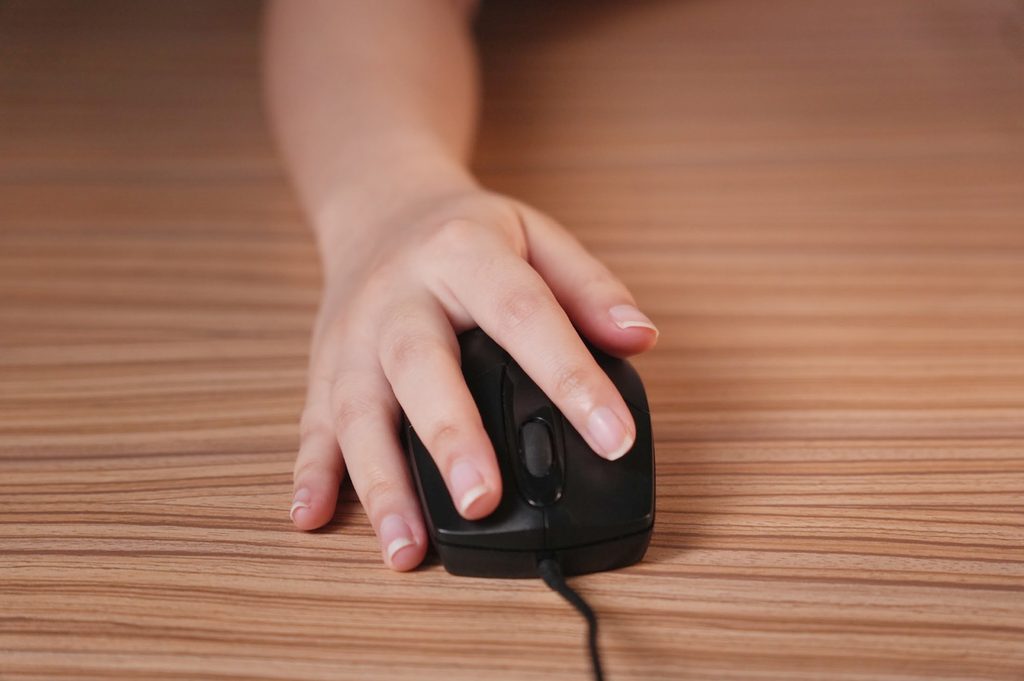
Relax your arms and drop them to your side: your palms will face your body. If you drop your relaxed arms on a desk, your palms will be perpendicular to the surface. Sure, you could twist your wrist to make your palm lie flat, like you would for a typical mouse, but maintaining that for a long time will keep you in an unnatural position.
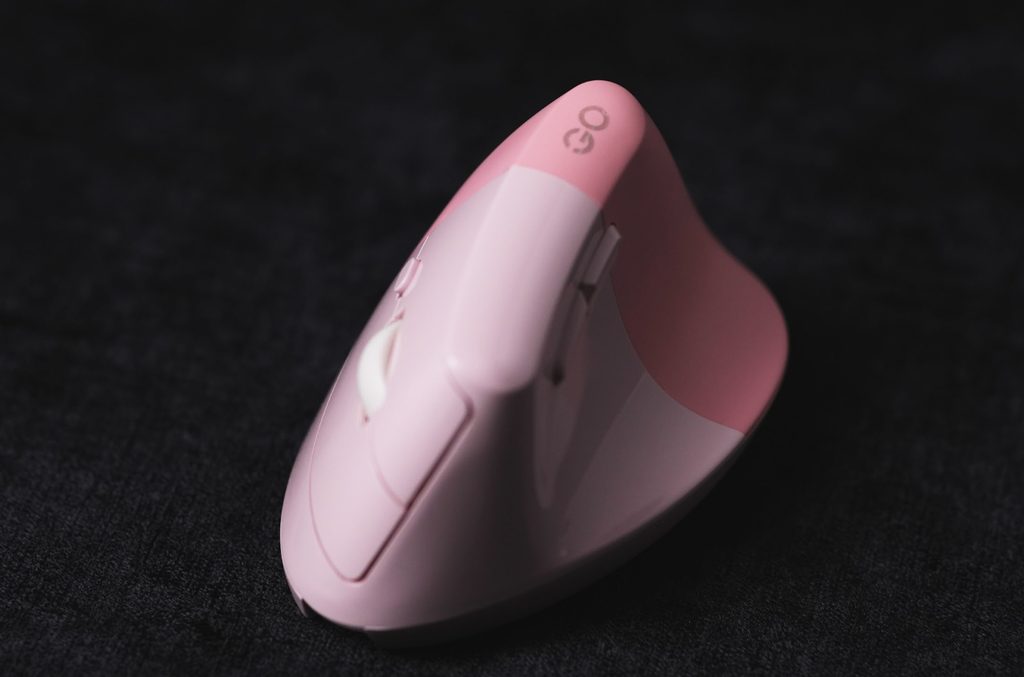
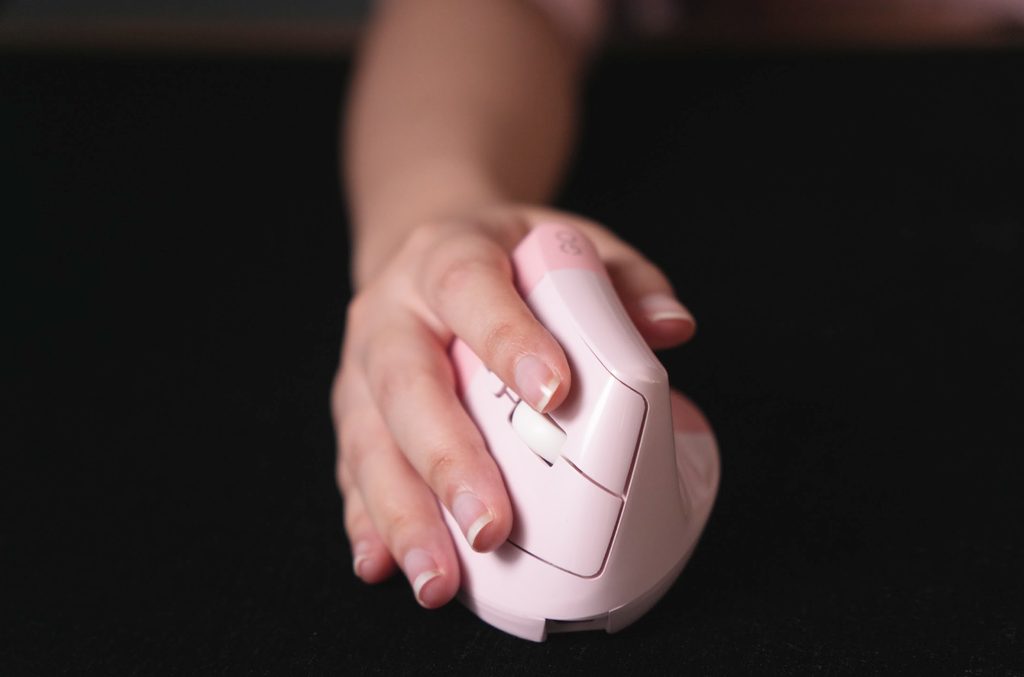
A vertical mouse is built off your natural arm posture by having its body on the side rather than the top. This structure allows you to grip the mouse from the side, retain your palm’s curve, and keep your wrist untwisted.
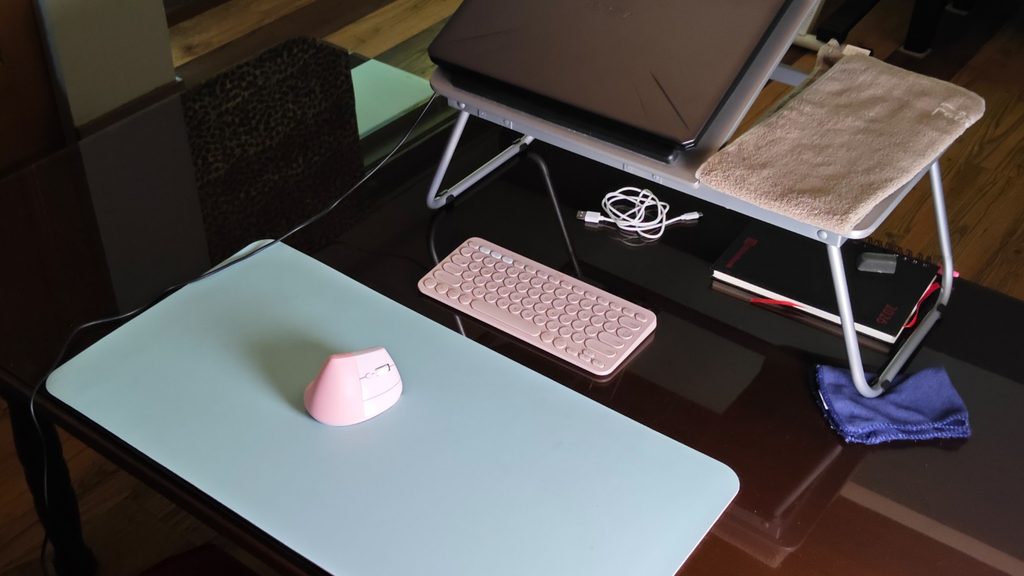
The Fantech Go Comfy W195R is designed just like that. I got used to the shape quickly not just because it felt comfortable, but also because I was already holding mice like this. My pointer finger appreciates not having to stretch to reach the left click. At approximately 114 grams, the Go Comfy W195R is slightly heavier than my previous mouse, though it didn’t feel too different.
What’s the verdict, 100 days later?
The mouse fits the shape of my hand well, and my wrist doesn’t ache anymore. My thumb, on the other hand, gets a mild strain if on the thumb rest for too long, which I’ve resolved by resting it above the side buttons and giving my hand a break. I’ll take that over my poor wrist.
All my previous mice were wired mice, so I didn’t have to charge or replace batteries. The Go Comfy W195R, however, is exclusively a wireless or Bluetooth connection. At first, I was sad to lose the convenience of being able to just plug it in, but I see the appeal of wireless now. There’s less clutter on my desk, and I can hold my mouse as near or as far as I like. I can even use my mouse from my couch.
I prefer to use my mouse wirelessly with the USB dongle, but I can also quickly switch it to the Bluetooth connection. In one moment, I could use it on my laptop, then I can toggle Bluetooth and connect it to my tablet.
The mouse uses an optical sensor, whose red light dims when it detects it’s no longer on a working surface. I’ve been flashed by my previous mice’s optical sensors when I held them up, so I find this to be a nice touch.
The left and right buttons are noticeably softer and silent, but the side buttons are clickier.
The plastic upper half of the mouse where the buttons are gathers dirt easily. When I run my finger over it, I can feel specks of dirt and dust, so I have to clean and wipe it frequently. It can be a bit annoying, but I see this as a bit of a silver lining: it reminds me to keep my mouse clean. I didn’t feel specks on my previous mice, so I dread to think of how dirty they actually were.
But before you buy one…
I’m right-handed, and my mouse is definitely for a right-handed person because of where the main buttons are. If you’re left-handed and looking for a vertical mouse, note that while left-handed vertical mice do exist, they’re harder to find.
I’ve shown my mouse to other people with different hands, and while my mouse fits my small hand, it does not fit bigger hands. I got lucky here as I neglected to check the size of the mouse before buying. This is a bit hard to check online since you can’t hold it, but online listings should show the dimensions.
Lastly, these ergonomic mice are built to strain you less while you use them, but they won’t stop strains entirely nor are the sole source of your strains. Be sure to have proper posture and to take breaks and stretch regularly.
If a vertical mouse suits you, here’s where you can buy it. – Rappler.com
This piece was written by Rappler intern Czarina Yasmin Sia. Czarina is an earnest creator whose works focuses on the little things and helping others. She enjoys engaging with unconventional ways to tells stories and is eager to write about life’s overlooked aspects. A graduating Communication Arts student from De La Salle University Manila, she aims to inspire people to find wonder.
KioskNews shows a cleaned-up reading view extracted from the publisher’s page — the original always lives on their site, not ours.